Published:2026-07-31
Keywords:Nano Banana Pro, Nano Banana, Nano Banana official website, professional headshot, social media avatar, nanobanana prompts, character consistency
When job hunting, building a personal brand, or running a company account, the most common awkward moment is: one face on LinkedIn, another on WeChat, and a short-video profile that looks like someone else entirely. The traditional approach is studio booking plus Photoshop retouching — change a hairstyle or suit color and you reshoot; filter apps often leave different skin textures on every image.
Among the capabilities on the Nano Banana official website, Nano Banana is ideal for quickly testing lighting and wardrobe directions, while Nano Banana Pro (Google Gemini high-capability image tier) is better at locking facial identity, hair/makeup detail, and clothing silhouette, then exporting avatars and half-body shots at different ratios. I use this workflow for consultants, founders, and knowledge creators to ship a “same person across platforms” visual pack — from uploading a reference to three-platform-ready assets in about 10–20 minutes.
This is a brand-new professional headshot & social avatar consistency deep-dive (different from past e-commerce lifestyle, social batch, poster infographic, local-edit fusion, or short-video thumbnail topics). Full prep checklist, four-step workflow, three prompt templates, identity-lock tips, three case breakdowns, and a pitfalls table.
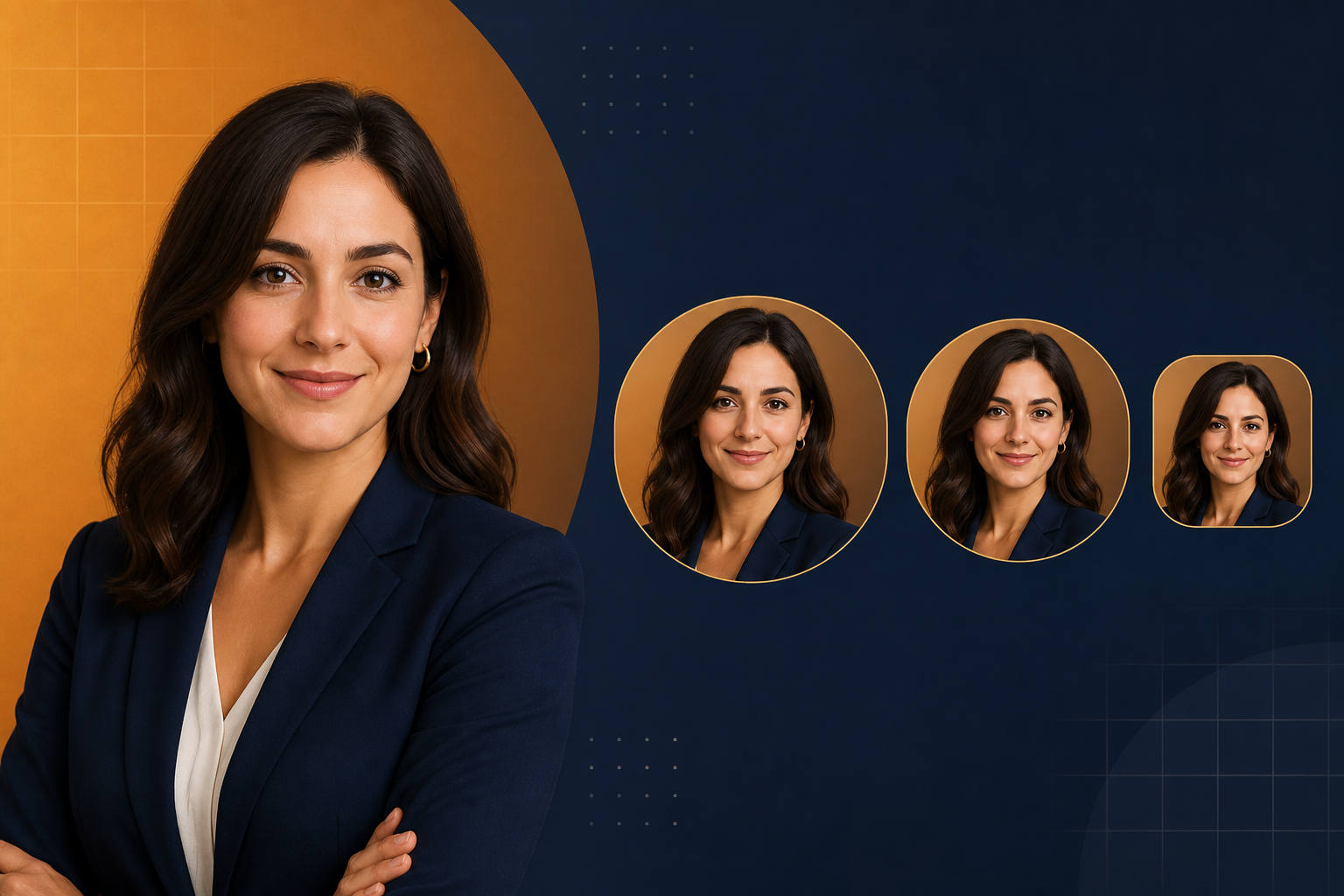
1. Why use Nano Banana / Nano Banana Pro for headshots and avatars?
Nano Banana standard is ideal for “try 5 backgrounds and outfits first”; when you need cross-platform recognition of the same person without facial drift, switch to Nano Banana Pro:
| Capability | Traditional studio + PS | Nano Banana / Nano Banana Pro |
|---|---|---|
| Identity consistency | One shoot locks look forever; restyle is expensive | Upload reference + preserve; reuse across ratios |
| Background swap | Cutout + replace; edges often blow out | Natural-language bg swap; keep facial lighting logic |
| Wardrobe tweaks | Reshoot or heavy liquify | “Suit to deep blue, keep collar shape” conversational iterate |
| Platform specs | Manual crop for every size | Export 1:1 / 3:4 / 16:9 by channel |
| Series updates | Quarterly reshoot | Same identity library keeps shipping “new scene, same person” |
The core difference: in the workflow on the Nano Banana official website, an avatar is not “any selfie cropped at random” — it is a reusable personal visual asset.
2. Asset prep checklist (what decides “same person or not”)
Before opening Nano Banana or Nano Banana Pro, prepare:
- Primary reference (required): Front or 3/4 face, clean lighting, no heavy plastic beauty filter
- Secondary references (recommended): One smile + one serious shot — for LinkedIn vs short-video mood split
- Wardrobe direction (required): Business formal, smart casual, or industry workwear — pick one primary style
- Background preference: Solid studio, minimal office, soft window bokeh, etc.
- Platform spec list: LinkedIn/WeChat avatars lean 1:1; resume half-body often 3:4; banners can be 16:9
- Negative constraints: No watermark, no garbled tiny text, no extra fingers, no over-smoothed skin, no “different person” face-swap look
Tip: Learn the difference between Nano Banana and Nano Banana Pro on the Nano Banana official website, then upload references in the web app. Clearer references and more stable hair/makeup yield higher cross-platform consistency.
3. Four-step workflow (one reference → full-platform avatar pack)
Step 1: Enter Nano Banana Pro and lock identity
- Open Nano Banana web app
- Use Nano Banana to explore wardrobe and backgrounds; prioritize Nano Banana Pro for final avatars
- Upload primary reference; start the prompt with:
preserve face 100% / keep identity identical
Step 2: Choose an avatar template
Three complete prompts below:
- Template A: LinkedIn / resume business half-body (3:4, clean studio)
- Template B: WeChat / App circular-avatar-friendly crop (1:1, face centered)
- Template C: Short-video / personal brand banner landscape (16:9, same person, different scene)
Step 3: Cross-platform QA — five checks
- Side by side, do the three images read as the same person at a glance?
- After circular crop, are forehead and chin still intact (signature features not cut)?
- Is skin texture natural (reject plastic smoothing)?
- Are suit / collar / glasses and other markers consistent?
- Any garbled text, watermarks, distorted features, or face-swap feel?
Step 4: Natural-language iteration + export by channel
Common instructions:
- “Keep face 100% unchanged; only swap background to light-gray studio”
- “Change suit to deep blue, remove tie, keep collar shape”
- “Reframe to 1:1, center face, circular-avatar friendly”
- “Export 3:4, 4K, Nano Banana Pro”
4. Prompt Template A: LinkedIn / resume business half-body
Replace 【】 placeholders with your content, then paste the full block into Nano Banana Pro:
Professional LinkedIn / resume headshot, 3:4 portrait.

Subject lock: use uploaded reference as the EXACT same person — preserve face geometry, eyes, nose, mouth, skin tone, hairstyle and age 100%. Do not beautify into a different identity.

Framing: chest-up or upper-torso portrait, subject slightly off-center or centered, confident natural expression (【微笑轻度 / 专业严肃】).

Wardrobe: 【商务西装 / 智能休闲衬衫 / 行业工装】 in 【颜色】; clean collar line; no loud logos unless in reference.

Background: clean studio seamless or softly blurred modern office in 【浅灰 / 暖米 / 深蓝】; even softbox lighting, gentle catchlights, realistic skin texture.

Style: Corporate professional photography, Nano Banana Pro identity lock, photoreal, LinkedIn-ready.

Negative constraints: no plastic beauty filter, no face swap look, no watermark, no extra fingers, no heavy makeup change, no garbled text.

Output: 3:4, 4K, Nano Banana Pro professional headshot.
Usage
- Upload a clear front or 3/4 face reference
- Fill wardrobe and background color
- Preview: shrink to phone avatar size — are features still readable?
- Iterate: “more natural expression” / “cleaner background”
5. Prompt Template B: WeChat / App circular-avatar-friendly crop
Social avatar friendly square crop, 1:1.

Identity lock: preserve the exact person from reference (face 100%, hairstyle signature, glasses if present).

Composition: face centered for circular crop safety — keep forehead and chin inside safe circle; shoulders visible but not dominating.

Look: approachable 【亲和微笑 / 平静自信】; soft daylight or ring-light style; natural skin pores retained.

Background: simple solid or soft bokeh in 【品牌色浅色版】 so circular crop remains clean.

Style: Mobile social profile photo, Nano Banana consistency, friendly but professional.

Negative constraints: no heavy filters, no stickers, no text overlays, no watermark, no identity drift.

Output: 1:1, high resolution, Nano Banana or Nano Banana Pro avatar.
Ideal for WeChat, Feishu, Slack, Xiaohongshu profile circular crops — safe zone matters more than “looking pretty.”
6. Prompt Template C: Short-video / personal brand landscape banner
Personal brand banner / channel header, 16:9.

Identity: same person as reference — preserve face and signature look 100% (Nano Banana Pro recommended).

Composition: subject on the LEFT or RIGHT third; opposite side clean negative space for optional future title; environment hint 【书房 / 城市窗景 / 极简工作室】 matching personal brand.

Wardrobe and color accents consistent with headshot pack: 【主色】 accents only.

Lighting: cinematic soft key + gentle rim; photoreal Nano Banana Pro look.

Style: Creator channel banner, identity-consistent with profile photo set, spacious layout.

Negative constraints: no cluttered props, no unreadable tiny text, no watermark, no different face.

Output: 16:9, 4K, Nano Banana Pro.
Landscape banners share the same identity library as the avatar pack so the channel homepage feels like one person running the brand.
7. Identity-lock tips (avatar-specific)
In Nano Banana / Nano Banana Pro prompts, lock these rules:
- Open with a lock: First line =
preserve face 100% / keep identity identical - Change one class at a time: Do not heavily alter background, wardrobe, and mood together
- Marker list: Glasses, earrings, bangs — put them in the preserve list
- Series anchor: Fix the same suit color or hairstyle across platforms, then swap backgrounds
- Circular safe zone: For 1:1, center the face and leave crop margin
- Reject over-beauty: Explicitly say
keep realistic skin texture
Append these as “Identity rules: …” at the end of your prompt — cross-platform consistency gets much steadier.
8. Three real case breakdowns
Case 1: Consultant LinkedIn — new scene, same face
- Goal: Old selfie has cluttered background; need clean business half-body
- Flow: Template A +
preserve face 100%+ light-gray studio - Result: Nano Banana Pro kept glasses and hairstyle; background usable in one pass
Case 2: Founder WeChat avatar unified with website headshot
- Goal: Circular avatar and About-page half-body must be the same person
- Flow: Template B first (1:1), then same prompt reframed to 3:4 export
- Result: Side-by-side comparison showed no obvious face-swap feel
Case 3: Knowledge creator channel banner + avatar as a set
- Goal: YouTube/Bilibili banner visually unified with avatar
- Flow: Template C shares identity-lock sentence; person left, negative space right
- Result: Homepage establishes personal-brand recognition at first glance
9. Common mistakes & how to avoid them
| Common mistake | Why it fails | How Nano Banana avoids it |
|---|---|---|
| Prompt only says “more professional” | Model improvises; easy face swap | Explicit preserve face 100% |
| Change bg + hair + age in one pass | Identity constraint gets washed out | Change one dimension per round |
| Ignore circular safe zone | WeChat avatar cuts half the face | 1:1 composition with face centered |
| Stack heavy beauty words | Plastic face; not like a real person cross-platform | Require realistic skin texture |
| Only overexposed selfie as reference | Not enough facial information | Add a normally exposed reference |
| Finalize text-heavy scenes on standard | Small text near avatar is steadier on Pro | Finalize on Nano Banana Pro |
10. Nano Banana vs Nano Banana Pro — which to pick
| Scenario | Recommended | Why |
|---|---|---|
| Try 5 suit colors / backgrounds | Nano Banana | Fast; low exploration cost |
| LinkedIn / resume final | Nano Banana Pro | Identity and texture more stable |
| Circular avatar + half-body as a set | Nano Banana Pro | Better cross-ratio consistency |
| Channel banner with large scene | Nano Banana Pro | Complex composition still locks face |
| Daily casual sticker-style updates | Nano Banana | Light drafts are enough |
11. Quick start in three steps
- Open Nano Banana official website to learn the product, enter the web app, and upload a clear reference
- Copy Template A or B, fill wardrobe and background, stress
preserve face 100% - Iterate with short instructions, then export the full avatar pack at 1:1 / 3:4 / 16:9
12. Closing thought
The essence of professional headshots and social avatars is not “looking prettier” — it is making every platform recognize you as the same person. Explore directions with Nano Banana, lock identity and export by channel with Nano Banana Pro, and on the Nano Banana official website in one workflow you can finish a complete personal-brand visual asset pack.