Published:2026-07-07
Keywords:Nano Banana Pro, e-commerce product photos, lifestyle photography, nanobanana prompts, product scene compositing
Anyone running cross-border e-commerce or a DTC store knows: white-background main images pass platform review, but they rarely create the “I want this” feeling. What actually lifts click-through and conversion is placing products in real lifestyle settings — kitchens, desks, outdoor camps, cafés.
The traditional workflow is Photoshop cutout + background composite — 2–3 hours per image, and lighting still often looks off. Since I streamlined a “product scene compositing” workflow with Nano Banana Pro (powered by Google Gemini 3 Pro Image), average time per lifestyle shot dropped to under 15 minutes, with labels, packaging, and proportions staying stable.
This is a brand-new e-commerce product photo deep-dive (different from past portrait, character turnaround, or film-atmosphere topics). I’ll share the full workflow, three copy-ready prompt templates, lighting matching tips, three case breakdowns, and common pitfalls.
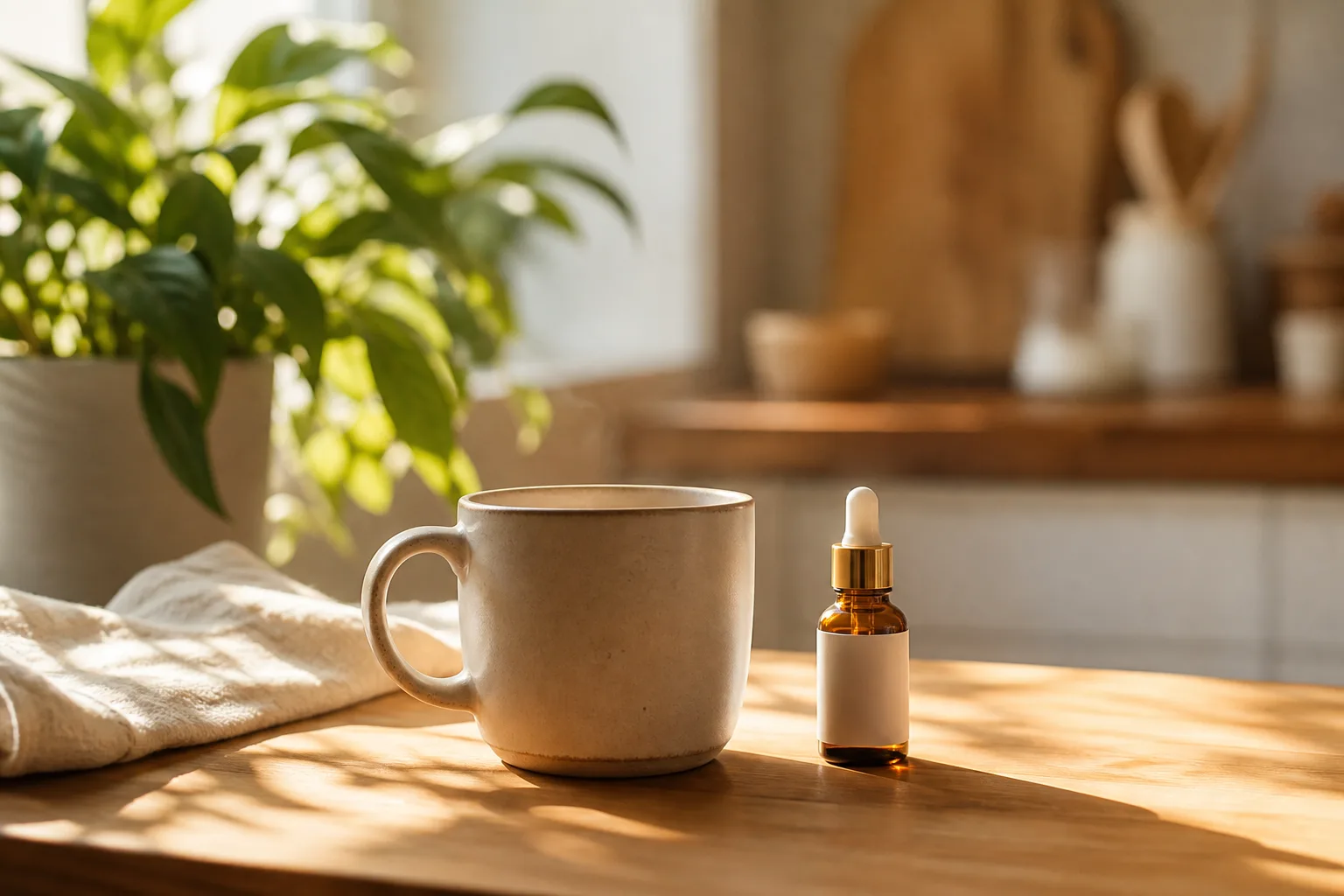
1. Why Nano Banana Pro for product scene compositing?
Nano Banana standard is great for quick drafts, but for “100% product fidelity + complex scene lighting match” I recommend Nano Banana Pro for practical reasons:
| Capability | Traditional PS cutout composite | Nano Banana Pro |
|---|---|---|
| Product proportion & label fidelity | Manual retouching, easy distortion | After uploading reference, emphasizing “100% preserve” keeps labels readable |
| Lighting consistency | Manual shadow direction & color temperature | Understands light logic, auto contact shadows & environment reflections |
| Batch output | Each scene composited separately | Same product, swap scene description to iterate |
| Learning curve | Masks, curves, cutout skills needed | Describe scene in natural language |
| Speed | 2–3 hours per image | Under 15 min preview + 4K final |
Nano Banana Pro’s core advantage is reason first, render second: it understands physics like “product on marble countertop, left window light, soft contact shadow” instead of randomly pasting a background.
2. Asset prep checklist (the step that decides success)
Before opening Nano Banana or Nano Banana Pro, prepare:
- Product image (Image 1, required): White or solid background OK; 2000px+ recommended; product 60%–80% of frame; labels clearly visible
- Optional style reference (Image 2): A scene mood you like (IKEA kitchen, minimalist desk) to lock color tone
- Category info: Product type (skincare / water bottle / snacks / 3C accessories) so the model picks sensible props
- Output specs: 1:1 (main image), 4:5 (social), 16:9 (banner)
- Negative constraints: Need “no hands, no models, no text, no watermark”?
Tip: White-background images don’t need transparent PNG cutouts. Nano Banana Pro can separate and blend the product from description, but cleaner backgrounds give sharper edges.
3. Four-step workflow (upload to delivery)
Step 1: Open Nano Banana Pro
- Open Nano Banana web app
- Select the Nano Banana Pro model (or Gemini 3 Pro Image)
- Upload your product image as Image 1
Step 2: Choose a scene template
- Template A: Kitchen / home countertop — cookware, food, small appliances
- Template B: Outdoor lifestyle — sports bottles, sunscreen, outdoor gear
- Template C: Minimal studio — 3C, skincare, premium brand hero shots
Step 3: Generate preview and check
Check four things:
- Label readable, no distortion
- Contact shadow direction matches light source
- Product scale fits the environment (no giant or mini effect)
- Background props don’t overpower the product
Step 4: Iterate and 4K output
If not satisfied, fine-tune in natural language, for example:
- “Reduce background blur so the mug is clearer”
- “Softer shadows, warmer color temperature”
- “Move product 10% right, keep label facing camera”
When satisfied, request 4K output for Amazon A+, Shopify product pages, or social commerce posts.
4. Prompt Template A: Kitchen countertop lifestyle (copy-ready)
Best for: Food, tableware, kitchen appliances, condiment bottles, etc.
How to use: Upload product Image 1, copy the prompt below, replace【产品品类】with your actual category.
Subject: Use uploaded Image 1 as the exact product — preserve packaging shape, label text, colors, and proportions 100%. Do not redesign or simplify the product. Category: 【产品品类】

Scene: Modern Scandinavian kitchen countertop, morning natural window light from the left, soft contact shadow under the product base, white marble surface with subtle gray veining, a ceramic mug and fresh eucalyptus branch slightly out of focus in the background.

Camera: 45-degree hero product shot, 85mm lens look, shallow depth of field, product razor sharp, background gentle bokeh.

Lighting: Soft diffused daylight, warm-neutral color temperature 5200K, realistic shadow falloff and subtle reflection on marble.

Style: Premium e-commerce lifestyle photography, Amazon A+ content quality, clean composition, commercial ready.

Negative constraints: no floating product, no melted text on label, no watermark, no extra logos, no hands unless specified.

Output: 4K, 1:1 square crop, Nano Banana Pro photoreal integration.
Usage notes
- Upload white-background product image in Nano Banana Pro
- Replace
【产品品类】with your category, e.g. “glass water bottle” or “organic snack bar” - Generate 1K preview first; confirm labels, then output 4K
5. Prompt Template B: Outdoor lifestyle (copy-ready)
Best for: Sports bottles, sunscreen, outdoor gear, portable power, etc.
How to use: Best for 4:5 vertical social commerce; emphasizes authentic “in use” feeling.
Subject: Image 1 product placed naturally in real-world use — same SKU, same label legibility, preserve brand colors exactly. Optional human hands allowed but must not cover the logo or key label text.

Scene: Sunny urban park bench, late afternoon golden hour, dappled sunlight through tree leaves, casual lifestyle context appropriate for 【产品品类】.

Camera: Eye-level lifestyle angle, 35mm environmental framing, product placed on lower third rule-of-thirds, natural perspective.

Lighting: Warm backlit rim light on product edge, soft environmental fill, realistic ground contact shadow, no studio strobe look.

Style: Instagram-ready lifestyle ad, Nano Banana Pro photoreal scene integration, natural color grading, no HDR overload.

Negative constraints: no floating product, no wrong scale, no distorted label, no watermark, no fake lens flare.

Output: 4:5 portrait ratio for social commerce feeds, 4K resolution.
6. Prompt Template C: Minimal studio hero (copy-ready)
Best for: Skincare, 3C accessories, jewelry, premium brand website banners
Highlights: Clean, premium, ideal for main images or ad creatives.
Subject: Strict preservation of Image 1 product geometry, materials, and branding — zero redesign.

Scene: Infinite soft beige seamless backdrop, premium studio still life, subtle vertical gradient, optional thin acrylic pedestal with soft reflection.

Camera: Straight-on or slight 15-degree tilt, 100mm macro-product look, edge-to-edge sharpness on label and texture details.

Lighting: Three-point softbox setup — key light front-left, fill right, subtle hair light on top edge to separate product from background.

Style: Apple-style product hero shot, ultra-clean, Nano Banana Pro commercial grade, minimal props.

Negative constraints: no clutter, no text overlays, no watermark, no color shift on product body.

Output: 16:9 for website banner or 1:1 for marketplace main image, 4K.
7. Lighting & perspective matching (Nano Banana Pro advanced)
Many “obviously fake” product shots fail on lighting logic, not the product. Five rules I validate repeatedly in Nano Banana Pro:
- State light direction clearly: If you write “left window light,” don’t also add “strong flash from the right” — the model gets confused
- Contact shadows are mandatory: Add
soft contact shadow under product basefor instant realism - Focal length shapes perspective: 85mm / 100mm for product close-ups; 35mm for environmental lifestyle — don’t mix
- Unify color temperature: In warm golden-hour scenes, product highlights should lean warm too, or it looks pasted on
- Scale anchors: Use familiar objects (cup / book / hand) as reference to prevent scale drift
8. Three real case breakdowns
Case 1: Glass water bottle → kitchen countertop lifestyle
- Input: White-background glass bottle, label “500ml”
- Template: Template A
- Result: Marble countertop + window side light, clear label, natural glass refraction
- Use: Amazon secondary images, DTC product page second screen
Case 2: Sunscreen → park bench outdoor scene
- Input: White-background tube packaging
- Template: Template B
- Result: Golden sunset dappled light, product on bench, no floating
- Use: Social seeding posts, Instagram ad creatives
Case 3: Earbuds charging case → minimal studio hero
- Input: White-background 3C product shot
- Template: Template C
- Result: Beige seamless backdrop + rim light, Apple-style polish
- Use: Website banner, Black Friday main visual
9. Common mistakes & how to avoid them
| Symptom | Cause | Fix |
|---|---|---|
| Label text blurred | Prompt didn’t stress label legibility | Add preserve label text 100% readable |
| Product looks floating | Missing contact shadow description | Add soft contact shadow under base |
| Product scale wrong vs scene | No scale anchor | Add familiar object or specify size |
| Background steals focus | Scene description too busy | Simplify props; emphasize product is hero |
| Color temperature mismatch | Mixed warm/cool light sources | Unify to window light or golden hour |
10. Nano Banana standard vs Nano Banana Pro — which to choose?
- Nano Banana (standard): Quick creative tests, social thumbnails, when label precision is less critical
- Nano Banana Pro: E-commerce main images, brand sites, 4K delivery with readable labels
My practice: explore with Nano Banana, deliver finals with Nano Banana Pro.
11. Quick start in three steps
- Upload white-background product → Open Nano Banana Pro
- Copy the right template → Replace category placeholder → Generate 1K preview
- Fine-tune light & composition → Confirm labels → Output 4K commercial asset
12. Final thought
The core of e-commerce product photography isn’t “how flashy the background is” — it’s credible product, believable scene, unified lighting. Nano Banana Pro compresses the most time-consuming parts of traditional compositing — cutout + lighting match — into a natural-language workflow. Write the scene like a brief to a photo team, and it executes.
If you’re still relying on white-background shots alone, try Template A today. In 15 minutes, you may rethink what “lifestyle hero images” actually cost to produce.