Publish date: 2026-05-07
Keywords: Nano Banana Pro, multi-view prompts, contact sheet, character scenes, portrait-style output
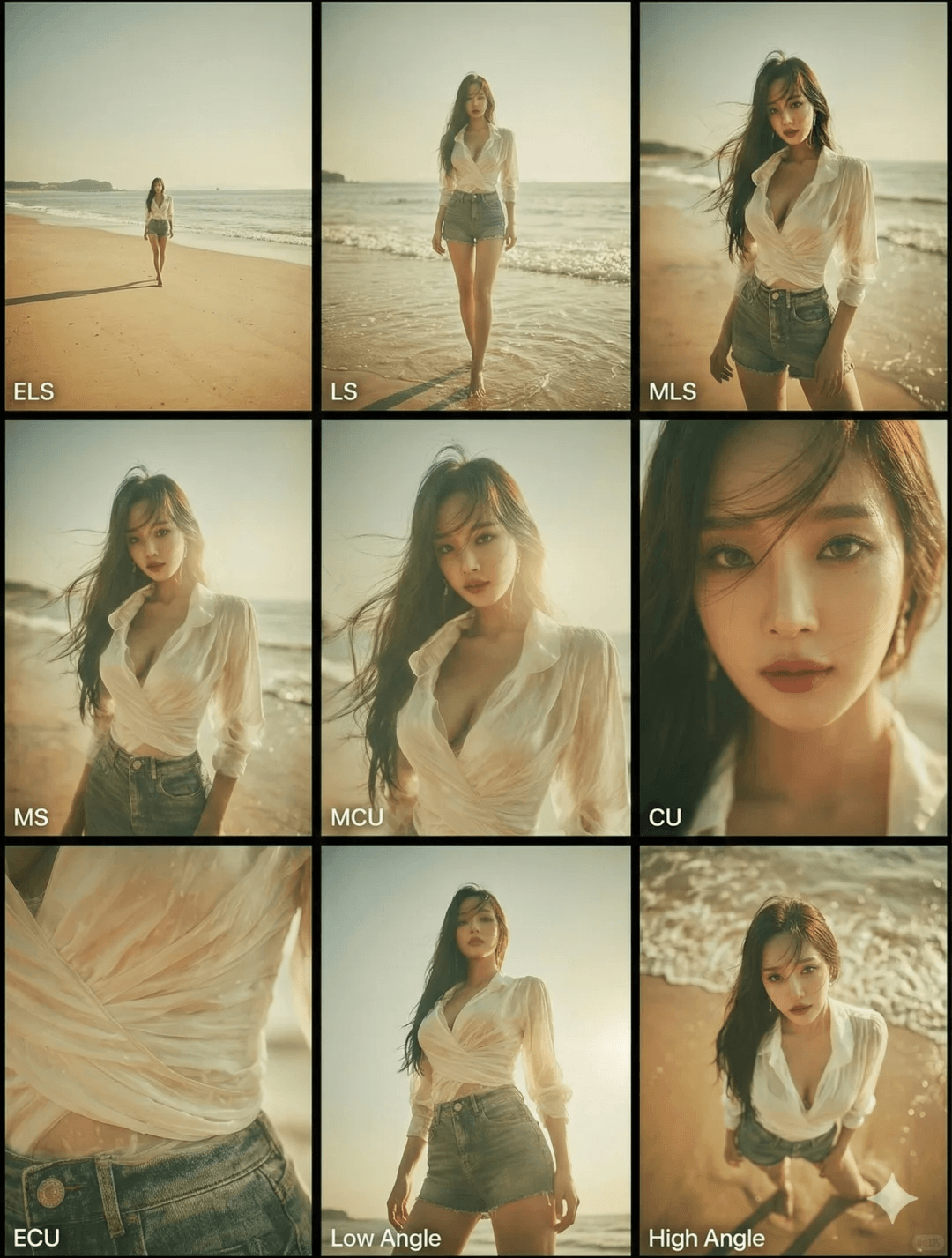
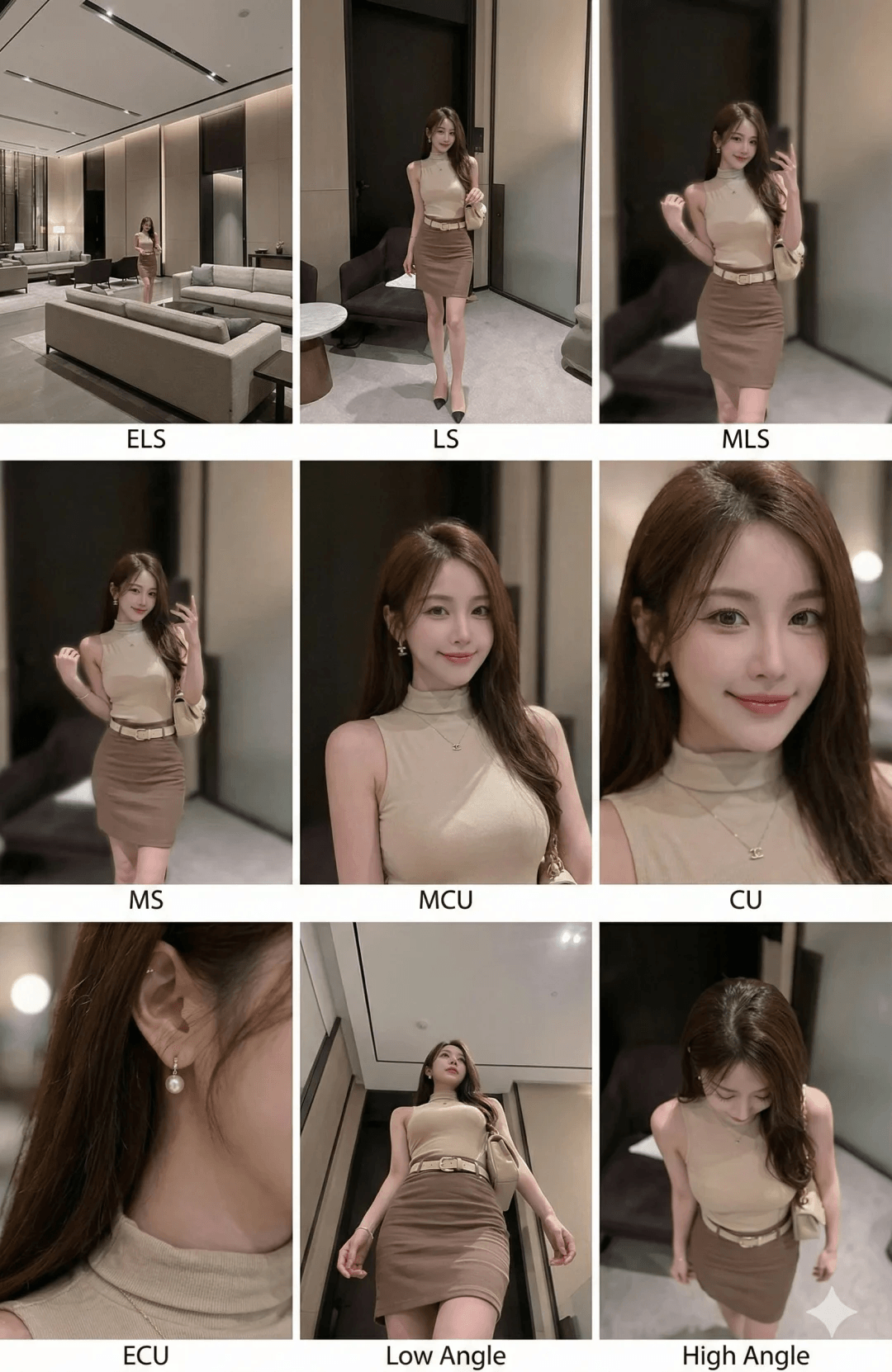
This Nano Banana Pro guide is a practical playbook: turn one reference upload into a coherent 3×3 contact sheet—nine shots in the same environment with stable wardrobe and lighting. It is ideal for storyboards, character sheets, marketing stills, and Nano banana写真-style portrait sets where consistency matters more than one-off hero frames.
When this workflow wins
- People, couples, or small groups: keep blocking and interaction readable across establishing shots and close-ups.
- Vehicles or hero props: preserve full-object readability while moving from wide to ECU details.
- Portrait-forward work: the bottom row (ECU + low + high angles) adds texture, gaze, and memorable silhouette beats.
Start with a reference image
These Nano banana Pro prompts assume you upload a reference image first. The model should parse composition, primary subjects, and spatial relationships before expanding into nine panels—do not swap identities mid-instruction or consistency will collapse.
Shot grammar (3×3 grid)
Row 1 — world-building
- ELS: subject small in a broad environment.
- LS: full figure (head-to-toe) or full vehicle read.
- American / three-quarter: knees-up for people, ~¾ view for objects.
Row 2 — narrative core
- MS: waist-up (or the object’s action core) with clear motion/interaction.
- MCU: chest-up intimacy on the lead subject.
- CU: tight on face or the object’s “front plane.”
Row 3 — detail & angle
- ECU: eyes, hands, logos, materials—micro storytelling.
- Low angle / worm’s-eye: upward from ground level for scale and drama.
- High angle / bird’s-eye: downward read for relationships or isolation.
All nine panels must show the same people/objects, same wardrobe, and same lighting; depth of field should scale realistically (stronger blur in close shots).
Copy-ready prompt block
<instruction>
Analyze the full composition of the input image. Identify every key subject (single person, group/couple, vehicle, or focal object) and their spatial relationships/interactions.
Generate a coherent 3x3 "contact sheet" grid showing nine distinct shots of exactly those subjects in the same environment.
Adapt standard cinematic shot types to the content (keep groups together; keep full objects readable when required):
Row 1 (establishing): ELS (subject small in space); LS (full subject/group head-to-toe / wheels-to-roof); medium-long / American / three-quarter (knees-up for people or ~¾ for objects).
Row 2 (coverage): MS (waist-up or the object's action core, emphasizing interaction); MCU (chest-up); CU (tight on face or the object's front plane).
Row 3 (detail & angle): ECU (eyes, hands, logos, texture); low-angle (heroic scale); high-angle (top-down relationship read).
Enforce strict continuity: identical subjects, wardrobe, and lighting across all nine panels; realistic depth of field with believable background blur in close shots.
</instruction>
Deliver a professional 3x3 film storyboard grid with photoreal texture, unified cinematic color, and correct subject counts matching the analyzed reference.
Reference visuals
The first image matches the article cover URL for easy sharing; the second extends the same visual story.
Practical summary
- Name the continuity rules (lighting, wardrobe, DoF) to reduce face drift and wardrobe swaps.
- If one panel breaks scale, re-prompt that row using explicit abbreviations (LS, ECU, etc.).